Securely reach and control your own devices from a browser. Rederel keeps them reachable through an outbound relay connection, including unattended Windows access after restart.
Start Free
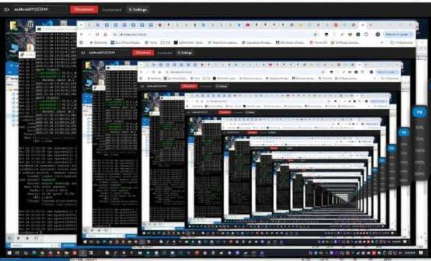
What Rederel does today
Your dashboard shows whether registered devices are currently connected to Rederel.
Open the remote viewer from your account and use keyboard and mouse without installing a viewer application.
On Windows, the Rederel service can reconnect before login so you can continue after a reboot or lock.
Rederel supports remote access through Windows lock/login and UAC flows when the unattended service is installed.
How it works
Register and verify your email.
Create a device ID and connection password in the dashboard.
Download and run Rederel.exe on the device you own or are authorized to manage.
Use the dashboard to open the browser viewer on the relay currently serving that device.
Typical uses
Reach your computer without opening inbound firewall ports or configuring a public IP address.
Help a family member remotely when you are authorized to access their device.
Reconnect after restart and continue through Windows login when unattended access is enabled.
Use the same Rederel account and browser-based approach for supported Linux devices.
Rederel is under active development. Start with the current remote-control platform and add devices as you need them.
Create AccountRead How It Works